INIU Power Bank Instructions: A Comprehensive Guide

Navigating the world of portable power, this guide details INIU power bank operation,
covering models from 10000mAh to 20000mAh, ensuring optimal charging experiences for all devices.
Understanding Your INIU Power Bank
INIU power banks are designed for on-the-go charging, offering a range of capacities and features to suit diverse needs. These portable chargers utilize Smart IC technology to intelligently detect and deliver the optimal charging current to your devices, ensuring efficient and safe power delivery. Whether you opt for a slim 10000mAh model for everyday carry or a robust 20000mAh Cougar series for extended adventures, INIU prioritizes portability and performance.
Understanding the LED indicator is crucial for monitoring the power bank’s remaining capacity and charging status. INIU power banks support fast charging protocols, like 22.5W, enabling quicker replenishment for compatible smartphones and tablets. Familiarizing yourself with these core functionalities will maximize your INIU power bank experience.
What’s in the Box?
Upon unboxing your new INIU power bank, you’ll typically find the power bank itself, a user manual providing detailed instructions and safety guidelines, and often, a USB-C cable for recharging the power bank. It’s important to note that a power adapter is not usually included. This streamlined packaging reflects INIU’s commitment to eco-friendly practices and reducing electronic waste.
The user manual contains vital information regarding LED indicator meanings, troubleshooting tips, and warranty details. Carefully review this document to fully understand your power bank’s capabilities and ensure optimal performance; Some models, like the BI-B5, may include specific instructions related to their unique features. Retain the packaging and manual for future reference or potential warranty claims.
INIU Power Bank Models: A Quick Overview
INIU offers a diverse range of power banks to suit various needs. The 10000mAh models, often part of the “Slimmest Series,” prioritize portability and are ideal for everyday carry, easily fitting in pockets or bags. These are perfect for a single phone charge or smaller devices.
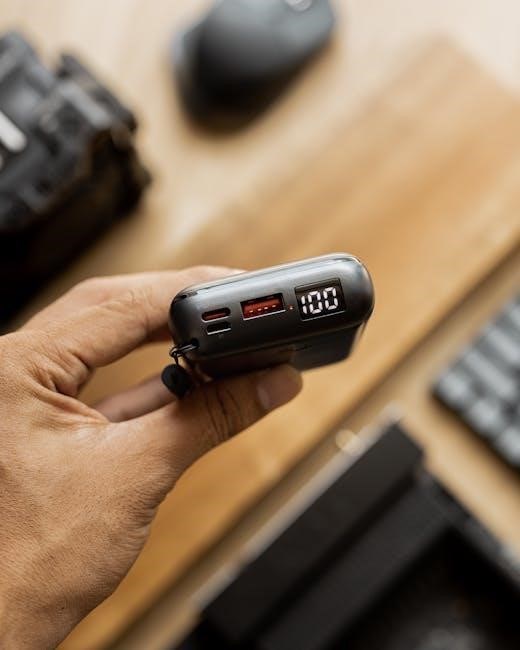
Stepping up in capacity, the 20000mAh models, including the popular “Cougar Series” (like the P62-E1) and the BI-B5, provide multiple charges for smartphones, tablets, and other USB-powered gadgets. The Cougar series boasts vibrant colors and a compact design despite its higher capacity. The BI-B5 specifically highlights fast charging capabilities and advanced features. Choosing the right model depends on your power requirements and desired level of portability.
10000mAh Models (Slimmest Series)
The INIU Slimmest Series, featuring 10000mAh capacity, excels in balancing power and portability. These power banks are designed to be incredibly compact and lightweight, making them ideal for daily use and travel. They typically include dual USB ports, allowing for simultaneous charging of two devices.
Expect fast charging support, often up to 22.5W, utilizing USB Power Delivery (PD) or Quick Charge (QC) protocols. These models are compatible with a wide range of devices, including iPhones and Android smartphones. The slim profile ensures they won’t add significant bulk to your bag. They represent a great choice for users needing a reliable, pocket-sized power solution for a single full phone charge.
20000mAh Models (Cougar Series & BI-B5)
INIU’s Cougar Series and the BI-B5 offer a substantial 20000mAh capacity, providing multiple charges for smartphones and powering tablets or other USB-C devices. The Cougar models often boast vibrant color options and a slightly larger form factor compared to the Slimmest series, but remain relatively portable.
These models frequently support higher wattage fast charging, potentially reaching 65W with Power Delivery, enabling quicker charging for laptops and compatible devices. The BI-B5 specifically highlights advanced features and optimized charging protocols. Expect multiple USB ports, including USB-C, for versatile connectivity. These are ideal for extended trips or users requiring significant power reserves.
Powering On and Initial Charging
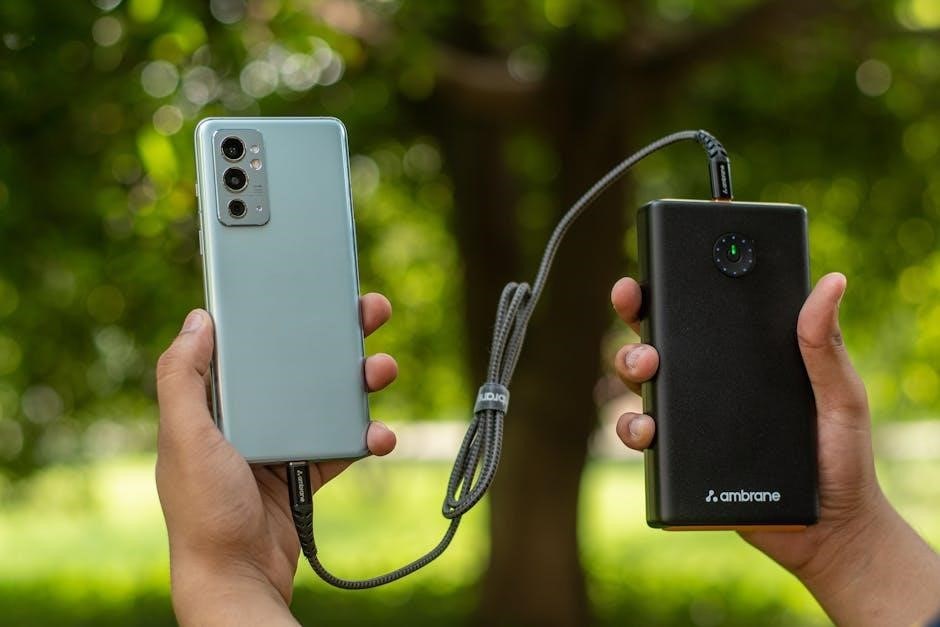
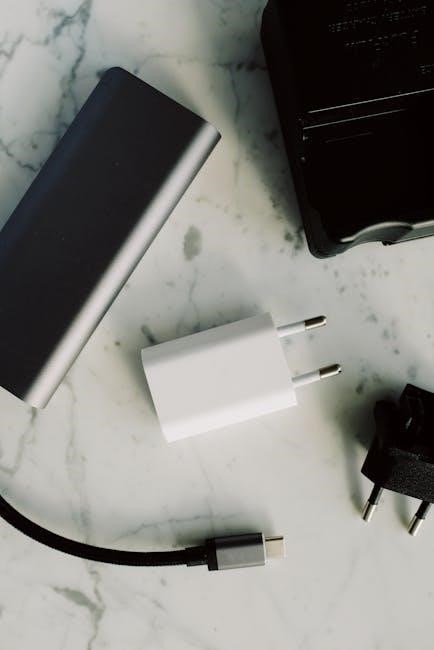
Before first use, fully charge your INIU power bank. Connect the power bank to a wall outlet using a USB-C cable and a compatible power adapter (not always included – check your packaging!). Most INIU models don’t have a traditional power button; they activate automatically when a device is connected.

The LED indicators will illuminate, displaying the charging progress. Initial charging can take several hours, depending on the power adapter’s output. Avoid using low-power adapters, as they will significantly extend the charging time. Once fully charged, the LED indicators will typically show a full capacity signal. It’s recommended to discharge and recharge the power bank a few times to calibrate the battery level indicator for accurate readings.
Charging Your Devices with the INIU Power Bank
To charge your devices, simply connect them to the INIU power bank using a USB cable. INIU power banks typically feature multiple USB ports, allowing for simultaneous charging of several devices. The power bank’s Smart IC technology automatically detects the optimal charging current for your connected device, ensuring efficient and safe charging.

INIU power banks support various fast-charging protocols. Ensure your device is compatible to benefit from the 22;5W or 3A fast charging capabilities. The charging speed will depend on your device’s specifications and the cable used; A high-quality cable is recommended for optimal performance. Monitor the LED indicators to track the charging progress of your devices.
Using the USB Ports
INIU power banks are equipped with standard USB-A ports and, increasingly, USB-C ports for versatile device compatibility. The USB-C port often supports both input (charging the power bank itself) and output (charging your devices). Multiple USB-A ports allow simultaneous charging of phones, tablets, and other USB-powered gadgets.
The Smart IC technology within the power bank intelligently identifies the connected device and delivers the appropriate charging current through each USB port. This ensures optimal charging speed and prevents overcharging. Prioritize using the USB-C port for devices that support Power Delivery (PD) for the fastest charging speeds. Always use quality USB cables for reliable connections.
Fast Charging Capabilities (22.5W, 3A)
INIU power banks boasting 22.5W and 3A output deliver significantly faster charging speeds compared to standard 5W chargers. This capability is particularly beneficial for newer smartphones and tablets that support fast charging protocols. To utilize this feature, ensure your device and the charging cable are also compatible with these standards – typically USB Power Delivery (PD) or Quick Charge (QC).
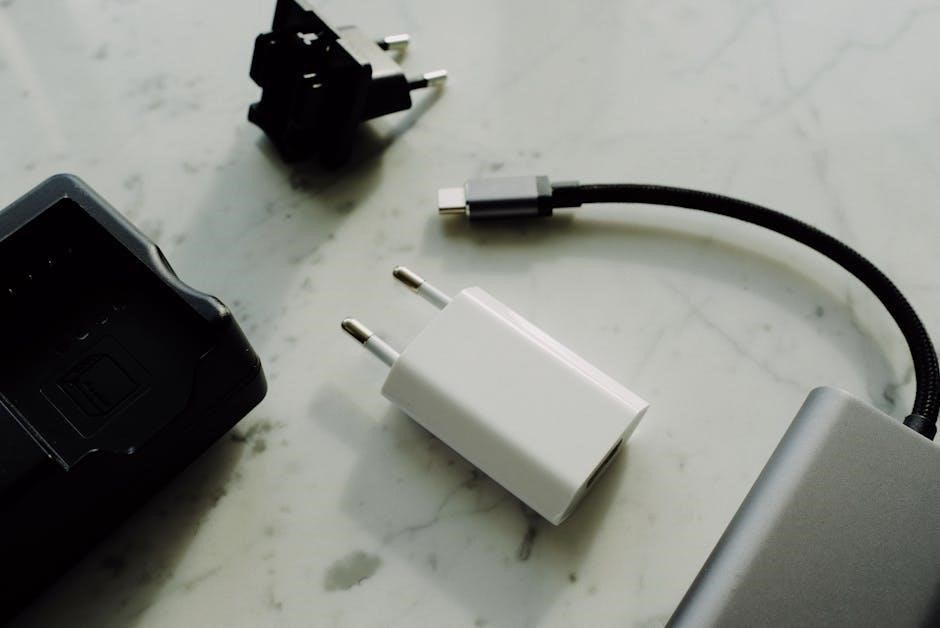
The power bank automatically negotiates the highest possible charging speed with your device. While a 22.5W output is impressive, actual charging speed will depend on your device’s maximum supported wattage. Using the USB-C port is generally recommended to access the fastest charging speeds available.
Understanding the LED Indicator
The LED indicator on your INIU power bank provides crucial information about its current status. Typically, a series of lights represent the remaining battery capacity, with each light indicating approximately 25% charge. A flashing light often signifies that the power bank is currently charging or discharging.
Some models may feature a more detailed LED display, showing precise percentage levels. Refer to your specific model’s manual for a complete interpretation of the LED signals. A rapidly flashing light could indicate an error or low battery condition. Understanding these visual cues allows you to monitor power levels and ensure optimal performance.
Safety Precautions and Warnings
To ensure safe operation of your INIU power bank, avoid exposing it to extreme temperatures or direct sunlight for prolonged periods. Do not disassemble, modify, or attempt to repair the device yourself, as this could lead to damage or injury. Keep the power bank away from water and other liquids to prevent short circuits.
Never dispose of the power bank in household waste; follow local regulations for proper electronic device recycling. Avoid dropping or subjecting the power bank to strong impacts. Regularly inspect the cable for damage and discontinue use if frayed or exposed wires are present. Always use a compatible charger and avoid overcharging.
Troubleshooting Common Issues
If your INIU power bank won’t charge, first verify the charging cable and adapter are functioning correctly with another device. Ensure the power bank is fully inserted into the charging port. If a device isn’t charging from the power bank, try a different USB cable or charging port on the power bank itself. Confirm your device is compatible with the power bank’s output.
For unresponsive devices, a short press of the power button on the power bank may be needed to initiate charging. If issues persist, try resetting the power bank by holding the power button for 10-15 seconds. Contact INIU support if problems continue, providing your model number for assistance.
Power Bank Won’t Charge
When your INIU power bank refuses to charge, begin by inspecting the USB-C cable and wall adapter. Test them with another device to confirm functionality. A faulty cable or adapter is a common culprit. Ensure the cable is securely connected to both the power bank and the power source. Try using a different USB-C port on your computer or wall adapter.
If still unsuccessful, attempt charging from a different power outlet. A weak outlet can hinder charging. For a complete reset, press and hold the power button on the power bank for approximately 10-15 seconds. If none of these steps resolve the issue, contact INIU customer support for further assistance.
Device Not Charging from Power Bank
If your device isn’t receiving a charge from your INIU power bank, first verify the cable connecting the two. A damaged or incompatible cable can prevent power transfer. Try a different USB cable known to work with your device. Ensure the cable is firmly plugged into both the power bank and your phone, tablet, or other gadget.
Confirm your device supports the power bank’s output. INIU power banks often feature fast charging, but older devices might not be compatible. Briefly press the power button on the power bank to confirm it’s actively delivering power. If the problem persists, try a different USB port on the power bank itself, and contact INIU support if needed.
Technical Specifications
INIU power banks boast varying capacities, primarily 10000mAh and 20000mAh, catering to diverse power needs. Output ranges typically reach 22.5W with a 3A current, enabling rapid charging for compatible devices. Input specifications, particularly for USB-C models, generally support 5V/3A, facilitating efficient power bank replenishment.
The slim 10000mAh models prioritize portability, while the Cougar series (20000mAh) offers extended runtime. Expect multiple USB ports – often USB-A and USB-C – for simultaneous device charging. These power banks utilize Smart IC technology for optimized power delivery, ensuring safe and efficient charging for a wide array of gadgets. Detailed specifications vary by specific model, so consult the product packaging or INIU’s website.
Capacity and Output
INIU power banks deliver substantial charging power, with capacities ranging from 10000mAh for ultra-portability to 20000mAh for extended use. The 10000mAh models are ideal for a single full phone charge, while the 20000mAh versions can recharge most smartphones multiple times. Output is typically rated at 22.5W and 3A, supporting fast charging protocols for compatible devices like iPhones and Android phones.
These power banks efficiently convert stored energy, providing a reliable power source on the go. The Cougar series, for example, balances capacity with a compact design. Output is intelligently managed via INIU’s Smart IC technology, optimizing power delivery to each connected device for safe and efficient charging.
Input Specifications (USB-C)
INIU power banks primarily utilize USB-C for input, enabling faster and more efficient recharging of the power bank itself. Input voltage typically ranges from 5V/3A to 9V/2A, depending on the power adapter used. Utilizing a Power Delivery (PD) compatible charger is recommended to achieve the fastest charging speeds for the power bank.
The USB-C port supports bidirectional power flow, meaning it can both charge the power bank and output power to devices. This versatility simplifies cable management. Ensure the USB-C cable and adapter meet the required specifications for optimal performance and safety. INIU’s Smart IC technology also manages input power, protecting the battery from overcharging.
INIU Smart IC Technology Explained
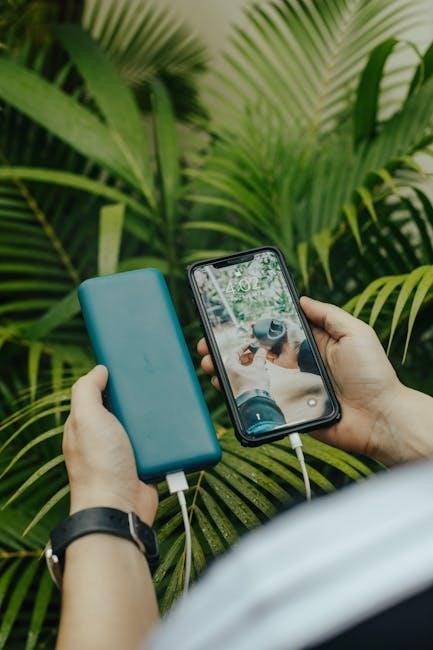
INIU’s Smart IC (Intelligent Charge) technology is a core feature, automatically detecting the optimal charging current for your connected devices. This ensures the fastest and safest charging possible, preventing overcharging and extending battery lifespan. The Smart IC identifies the device’s requirements – whether it’s a smartphone, tablet, or other USB-powered gadget – and delivers the appropriate power output.
This intelligent system supports a wide range of charging protocols, maximizing compatibility. It dynamically adjusts the voltage and amperage, optimizing the charging process for each individual device. This prevents damage and ensures efficient power transfer, making INIU power banks a reliable and versatile charging solution.
Portability and Design Features
INIU power banks are engineered with portability in mind, boasting sleek and compact designs. The 10000mAh models, particularly the “Slimmest Series,” are exceptionally lightweight and easily slip into pockets or bags. Larger 20000mAh models, like the Cougar series, balance capacity with reasonable portability, offering substantial power without excessive bulk.
Beyond size, INIU emphasizes aesthetic appeal, offering power banks in a variety of colors. Durable materials ensure longevity, while textured surfaces provide a secure grip. The streamlined designs minimize scratches and maintain a premium look. These features combine to create power banks that are both functional and stylish, ideal for travel and everyday use.
Comparing INIU Power Banks: Choosing the Right Model
Selecting the ideal INIU power bank hinges on your power needs and portability preferences. The 10000mAh models excel for users prioritizing slimness and convenience, perfect for a single phone charge or light use. If you require extended power for multiple devices or longer trips, the 20000mAh Cougar series or BI-B5 are superior choices.
Consider charging speed; models supporting 22.5W fast charging significantly reduce recharge times. Evaluate the number of USB ports needed – some models offer dual USB outputs for simultaneous charging. Finally, assess your budget, as prices vary based on capacity and features. Carefully weigh these factors to find the INIU power bank that best suits your lifestyle.
Warranty Information and Support
INIU power banks are backed by a robust warranty, typically offering a minimum of one year of coverage against manufacturing defects. This warranty ensures peace of mind, protecting your investment against unforeseen issues. Should you encounter any problems, INIU provides multiple avenues for support, including a dedicated customer service team accessible via email and often through their official website.
Many users report positive experiences with INIU’s responsive support, receiving prompt assistance with troubleshooting and warranty claims. Retain your proof of purchase for warranty validation. Detailed FAQs and user manuals are readily available online, offering self-service solutions to common queries. INIU prioritizes customer satisfaction, striving to deliver reliable products and exceptional support.
Maximizing Battery Life and Longevity
To extend the lifespan of your INIU power bank, avoid extreme temperatures – both heat and cold can degrade battery performance. Store the power bank in a cool, dry place when not in use; Regularly cycling the battery (charging and discharging) is beneficial, but avoid letting it sit fully discharged for extended periods.
Utilize the power bank’s Smart IC technology, which optimizes charging for connected devices, reducing energy waste. When storing for long durations, charge the power bank to around 50-75% capacity. Avoid using low-quality charging cables, as they can hinder efficient charging and potentially damage the battery. Proper care ensures years of reliable portable power.